

Why We Built Our Own AI-Powered CMS: Build vs Buy
We were juggling a stack of disconnected tools just to publish one article, so we built MaseOne, our own AI-powered CMS. Here's the build-vs-buy decision behind it, what changed, and how to make the same call for your own business.
Smarteer Team
Contents
We didn't set out to build a CMS.
We built MaseOne because our own content workflow became frustrating enough that reaching for another tool no longer made sense. We were moving between a CMS, an AI writing tool, an image generator, an SEO plugin and a publishing workflow, just to get one article live. Each tool worked reasonably well on its own. Together, they created a system that was slow, fragmented, and getting harder to maintain every time we added another piece.
So we asked a simple question: would it be better to build the system we actually needed?
This is that decision, what it actually involved, and a practical way to make the same call for your own business.
What You'll Learn
Swipe, or use the arrows on each card →
The Problem With a Patchwork Software Stack
None of the individual tools in our old setup were bad. A CMS is good at storing and serving content. An AI writing tool is good at drafting. An image generator is good at producing visuals. An SEO plugin is good at metadata. The problem wasn't any single tool. It was that none of them knew the others existed.
That meant every article involved manually carrying information between systems: writing in one place, generating images in another, copying SEO fields into a third, and finally pasting the finished result into the CMS itself. Each handoff was a place for something to get missed, formatted wrong, or simply forgotten.
What Our Old Content Workflow Looked Like
Before MaseOne, publishing one article meant touching several separate systems in sequence: drafting content in one tool, generating and resizing images in another, checking SEO fields in a third, and finally logging into the CMS itself to assemble and publish everything. Each step worked. The friction was in the handoffs between them, and in nobody being quite sure which tool currently held the "real" version of anything.
The Real Cost of a Tool Stack
It's worth putting real numbers next to the problem. A small business running a CMS with a handful of AI plugins bolted on, one for writing, one for images, one for SEO, typically ends up somewhere between $50 and $200 a month once every subscription is added up. Add the underlying AI usage costs some plugins charge separately for, and a business blog can run $1,700 to $4,000 a year all in, before anyone's time is counted.
| Cost | Buying multiple tools | Building one system |
|---|---|---|
| Subscriptions | Recurring, per tool | One-time build, then low ongoing cost |
| Integration | Often extra work or not possible | Built in from the start |
| Maintenance | Depends on each vendor's roadmap | Your own responsibility, but under your control |
| Workflow fit | Limited to what the tool supports | Built around your exact process |
| Data | Spread across several vendors | Centralized, one system of record |
| Initial cost | Low | Higher upfront |
| Long-term cost | Can grow as you add more tools | Can become predictable once built |
Buying is almost always cheaper upfront. Building tends to become cheaper over time, but only when the workflow is important enough, repeated often enough, and specific enough to your business to justify the initial cost.
That's before the parts that don't show up on any invoice:
- A plugin update breaks another plugin, and someone has to figure out which one
- Every AI feature sends your content to a different external provider, with a different privacy policy
- Publishing a post means logging into three different places, not one
- Nobody on the team actually knows why a specific plugin is still installed
Build vs Buy: The Decision We Had to Make
Once the cost of the patchwork became clear, the decision came down to two real options.
Option 1: Keep buying tools. Continue paying for and maintaining a separate CMS, AI writing tool, image generator, SEO plugin, and scheduling tool, and keep manually connecting them for every article.
Option 2: Build one system. A single platform where content, AI drafting, images, SEO, and publishing are all part of the same workflow, not five separate ones stitched together.
We chose to build, but that decision only made sense because of who we are: a software company that already had engineering capacity, publishing content often enough that the workflow mattered, and a process specific enough that no off-the-shelf combination fit it cleanly. Take any one of those three away, and buying would likely have been the better call.
Why We Didn't Just Add More Plugins
Worth being direct about this: a general-purpose CMS with a good plugin ecosystem, WordPress included, is a genuinely excellent choice for a lot of businesses. It's mature, inexpensive, well documented, and has a huge community behind it. That wasn't the problem.
Our problem was that we'd moved past needing a general-purpose CMS. We needed something built specifically around how we produce content: AI-assisted drafting, image generation, SEO, and publishing as one continuous workflow, not a general tool with plugins layered on to approximate that. That's a narrower, more specific need than most businesses have, which is exactly why building made sense for us and won't for everyone.
What MaseOne Actually Is
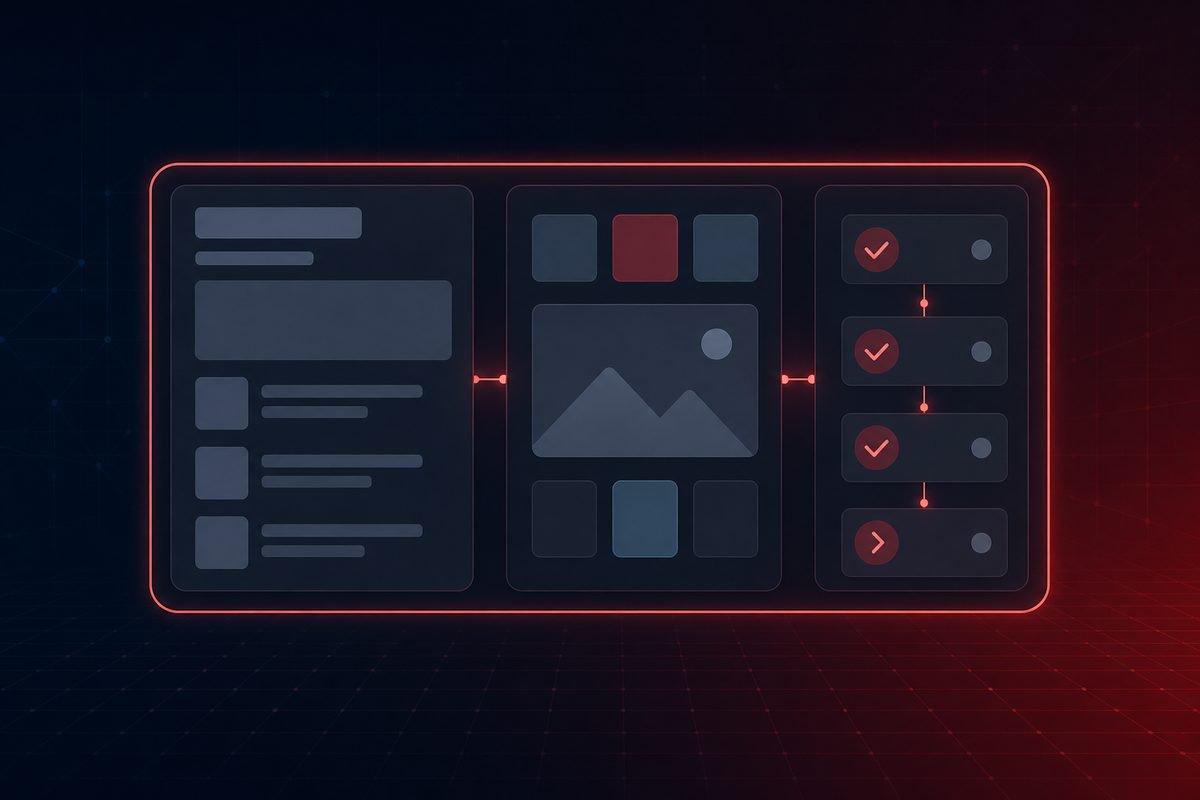
MaseOne is the AI-powered CMS we built in-house. It's the system behind every article on this blog, including this one. Rather than thinking of it as "a CMS with AI added on," it's closer to a content operations platform: a traditional CMS mostly covers create, edit, publish. MaseOne covers plan, generate, optimize, create media, review, schedule, publish, and reuse, as one connected workflow instead of separate steps in separate tools.
What MaseOne Replaced
| Before | With MaseOne |
|---|---|
| Separate AI writing tool | AI-assisted drafting inside the CMS |
| Separate image generation tool | Integrated AI image generation |
| Separate stock photo search | Built-in stock photo fallback |
| Separate SEO plugin | SEO metadata and schema generated with the content |
| Manually remembering to hit publish | Scheduled publishing, checked automatically |
| Copy-pasting repeated components | Reusable content blocks, defined once |
| A separate setup per website | One system publishing to multiple sites, each with its own workspace |
How MaseOne Works
What MaseOne Actually Does
- AI-assisted drafting. First drafts and full articles generated from a brief, working directly against our own content rather than a generic prompt in a separate app.
- AI image generation, with a stock photo fallback built in. Cover and inline images generated and automatically resized and compressed, with a built-in stock photo search for anything that calls for a real photograph instead of an illustration.
- Scheduled publishing. Posts can be queued to go live at a set time, checked and published automatically, no one has to remember to hit publish.
- Reusable content blocks. Shortcodes for things we repeat across articles (like the slider at the top of this one), defined once and reused everywhere instead of copy-pasted and drifting out of sync.
- Multi-site publishing from one place. Each of our sites has its own API key and workspace, so one CMS can safely publish to several properties without content leaking between them.
- SEO metadata and structured data. Titles, descriptions and schema generated alongside the content, not bolted on afterward.
What Changed After We Built It
The clearest difference is where the work happens. Publishing an article used to mean writing in one tool, generating images in another, checking SEO fields in a third, and copying everything into a CMS by hand. Now it happens in one sitting, in one system, without switching between four separate logins to finish a single article.
It also removed a category of problem entirely: there's no plugin update to worry about breaking something else, no separate vendor to trust with our content, no forgotten subscription still being billed for a feature nobody uses anymore. The system does exactly what we built it to do, and nothing we didn't ask for.
When You Should Buy Instead of Build
Buy an existing tool when:
- Your requirement is common and shared across many businesses
- A mature product already solves it well
- You don't have technical resources to build and maintain something custom
- You use the workflow occasionally, not constantly
- The process isn't strategically important to how your business runs
- Your requirements aren't especially unique
When Building Makes Sense
Consider building when:
- The process is central to how your business actually operates
- Your workflow is genuinely unique, not a variation of a common one
- You keep working around the limitations of the tools you're paying for
- Multiple systems need to talk to each other and don't
- You're already paying significant recurring costs for a patchwork that half-works
- Manual, repetitive work around the tools is becoming expensive
- You need real control over your own workflow and data, not just access to a vendor's version of it
How many separate tools does this workflow touch? How much do they cost, combined, every month? How often is this workflow used? How specific is it to your business, versus a generic need? How expensive are the mistakes or delays it currently causes?
If the honest answer is "a lot of tools, used constantly, doing something fairly unique to us," that's usually when the subscription price stops being the real cost, and building starts to look cheaper than it seems.
Who Benefits From a System Like This?
- Agencies managing content across multiple clients from one place.
- Marketing teams publishing frequently across several channels.
- Multi-site businesses running more than one website or brand.
- Publishers producing a high volume of content regularly.
- SaaS companies managing documentation, blog and marketing content together.
- Businesses with layered approval workflows, where content has to pass through SEO, brand or legal review before it goes live.
If none of that resembles how your business operates, an off-the-shelf CMS and a couple of well-chosen plugins is probably still the right call, and that's a perfectly good outcome.
Frequently Asked Questions
What is an AI-powered CMS?
A content management system with AI capabilities, like drafting, image generation or SEO writing, built directly into the publishing workflow, rather than added on through separate plugins or tools.
Is it better to build or buy software?
For most businesses, buying is better. Building only tends to pay off when a workflow is central to the business, used constantly, specific enough that no off-the-shelf tool fits well, and the business has the capacity to build and maintain it properly.
When should a company build custom software instead of buying it?
When the recurring cost and friction of stitching together several tools starts to outweigh the cost of building one system suited to the exact workflow, and that workflow is important and repeated enough to justify it.
Is custom software cheaper than SaaS in the long run?
It can be, but not automatically. Buying is almost always cheaper upfront. Building can become cheaper over time if the workflow is used heavily enough that ongoing subscription costs would have kept growing.
What are the disadvantages of building custom software?
Higher upfront cost, the need for technical resources to build and maintain it, and the fact that you now own the maintenance burden a vendor would otherwise carry. It's a poor fit for occasional or generic needs.
Is a general-purpose CMS like WordPress still a good choice for businesses?
Yes, for most businesses it's an excellent choice: mature, inexpensive, and backed by a huge plugin ecosystem. Custom software only makes sense once a business's workflow has outgrown what a general-purpose tool and its plugins can reasonably do.
Can a custom CMS publish to multiple websites?
Yes, if it's built that way. MaseOne, for example, publishes to each of Smarteer's sites from one system, with each site kept in its own separate workspace.
Have You Outgrown Your Software Stack?
You don't always need another subscription. If your team is constantly moving data between systems, working around software limitations, or paying for several tools to complete one workflow, that's usually a sign worth paying attention to, not a reason to add a sixth tool to the pile.
Smarteer builds custom software and AI-powered systems designed around how a specific business actually works, the same way we built MaseOne around our own. If a patchwork of tools is costing you more in time and maintenance than it's saving you, we can help you work out whether a purpose-built system makes sense for your business.
Explore Custom Software Development at Smarteer →
About Smarteer
Smarteer is a technology consultancy that helps businesses build custom software, AI automation and digital products that fit how they actually operate. From web and mobile development to AI-powered internal tools like MaseOne, we work with businesses that have outgrown generic tools and need something built around their own process.
Smarteer Team
Get a Free Technology Consultation
Talk to our experts about your project — no commitment required.
Book a Call →Build Your MVP in 4 Weeks
Proven framework. Fixed price. From zero to live product.
Learn More →Newsletter
Get the latest insights delivered to your inbox.