
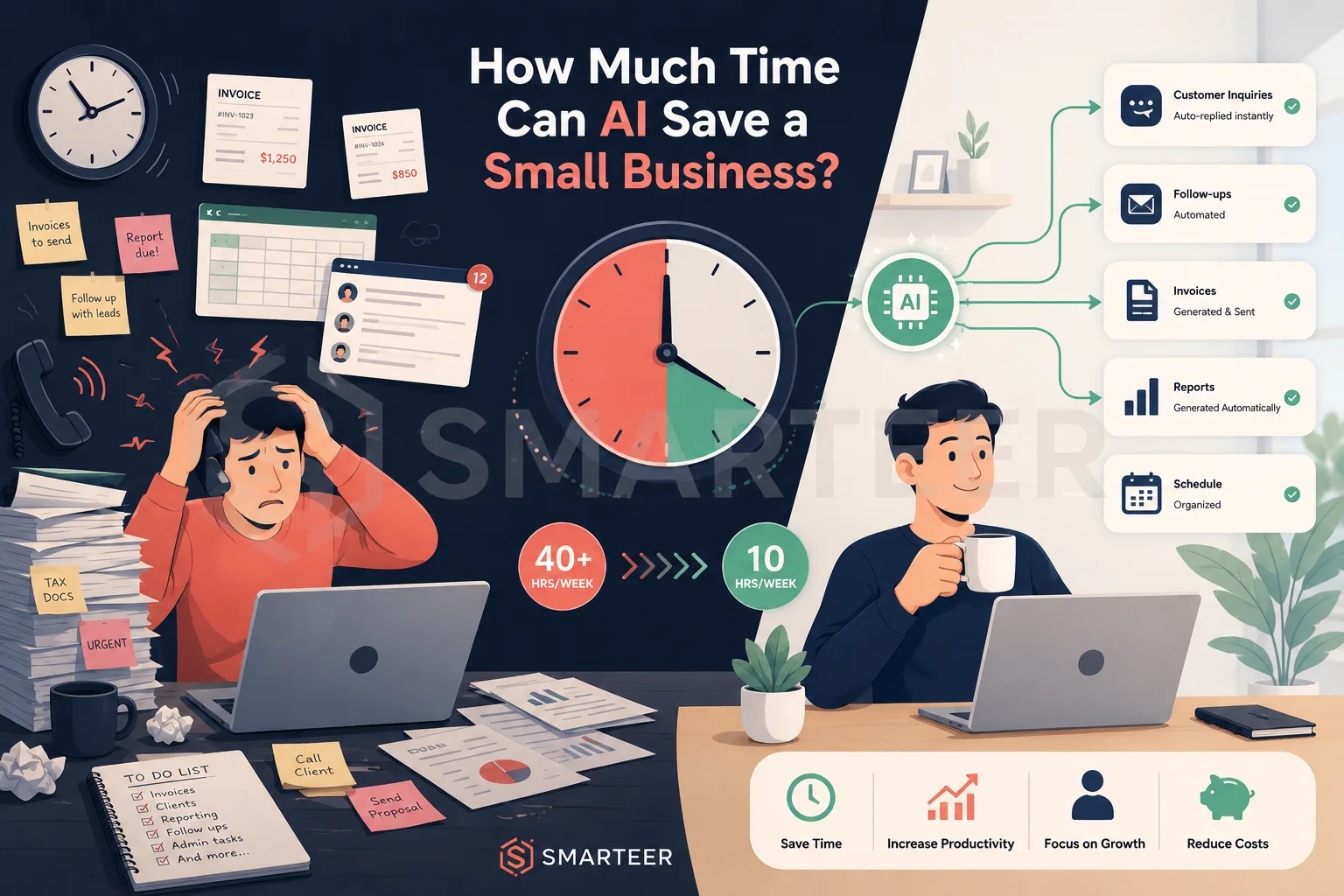
How Much Time Can AI Save a Small Business?
AI tools can save small businesses 10+ hours weekly by automating tasks like scheduling, emails, and data entry. Discover where the time savings are biggest.
Smarteer Team
Contents
Picture a Tuesday morning. You sit down with your coffee, ready to finally work on that new service offering you've been sketching out for weeks. Then the inbox pulls you in. A client needs a reschedule. An invoice from last month still hasn't been reconciled. Three people asked the same question about your hours on Instagram. By noon, you haven't touched the thing that actually matters. Sound familiar? For most small business owners, this isn't a bad week. It's the default.
The good news is that this is changing, not through magic, but through a quiet shift in what software can now do reliably. AI tools have matured past the hype cycle into something genuinely useful for day-to-day operations. The question isn't whether they can save time. It's how much, for which tasks, and whether the tradeoffs are worth it for your specific situation.
This post gives you real numbers from actual deployments, a clear breakdown of where time goes and where AI delivers, and an honest look at what it costs you in setup, learning, and occasionally, mistakes.
Where the Clock Actually Runs Out
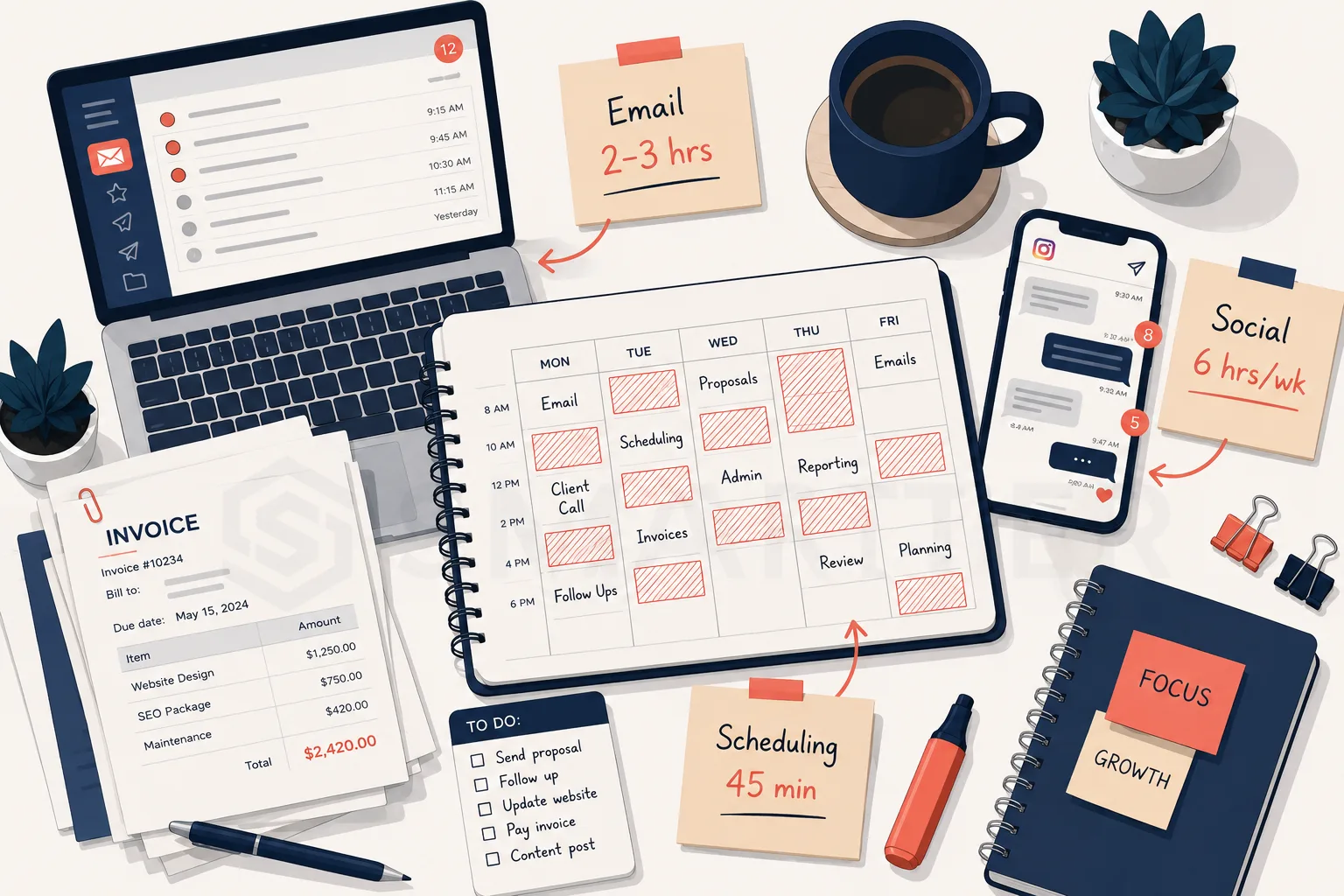
Most small business owners know they're busy. Fewer can tell you precisely where the time goes. Research from Xero found that US small business owners spend an average of 15 days per year on administrative tasks alone, before you even count customer service, marketing, or operations. Add those in, and you're looking at a number that would surprise most people if they tracked it honestly for a single week.

The tasks that consume the most cumulative time are rarely dramatic. Email takes 2 to 3 hours daily for most owner-operators, spread across sorting, drafting, following up, and occasionally searching for something sent six weeks ago. Scheduling eats another 30 to 60 minutes each day just from back-and-forth coordination. Social media content, when managed in-house, averages around 6 hours weekly across creation, posting, and responding to comments.
Invoicing, customer support, and content creation round out the list. What makes these painful isn't that any one of them is overwhelming on its own. It's that they all happen every single day, compounding into something that feels like it has no solution. The owners who struggle most aren't inefficient people. They're just doing manually what modern software was built to handle.
The Realistic Time Math: What AI Actually Delivers
Let's put concrete ranges on this rather than speaking in vague percentages. For email, tools like Superhuman, Shortwave, and AI-assisted drafting built into Gmail can reduce daily email time by 30 to 50 percent. For someone spending two and a half hours a day on their inbox, that translates to roughly 45 to 75 minutes recovered each day, or 4 to 6 hours over a full work week.
Content creation sees some of the largest gains. Using AI writing tools for first drafts of blog posts, product descriptions, and social captions cuts production time by 50 to 70 percent according to surveys of small business content creators. A piece that once took 5 hours to write might take 90 minutes when you're editing and shaping a solid AI draft rather than starting from a blank page. Over a month, that's easily 10 to 15 hours returned to higher-value work.
Customer support is where the math gets particularly compelling for service businesses. A simple FAQ chatbot trained on your most common questions can deflect 30 to 40 percent of inbound support volume without any human involvement. For a business fielding 20 repetitive questions a day, that's a meaningful chunk of the afternoon back. Scheduling tools like Calendly with AI-powered routing go further, eliminating almost all back-and-forth for appointment-based businesses entirely.
Which Tools Deliver and Which Ones Disappoint
Not every AI tool earns its subscription fee. The ones that consistently deliver value share a common trait: they slot into something you're already doing rather than requiring you to build an entirely new workflow around them. Gmail's built-in AI features, Notion AI for note-taking and summarizing, and Canva's Magic Design for quick visual content are all examples of tools that reduce friction inside existing habits.
Tools that tend to underdeliver are those requiring extensive configuration before they produce anything useful, or those promising to replace human judgment in areas where nuance actually matters. Fully automated social media content that sounds robotic, for instance, often does more harm than good. AI-generated invoicing that requires constant correction isn't saving time if you're fixing errors for 20 minutes per invoice.
The most effective approach for most small businesses is selective automation: identify your two or three biggest time drains, find tools specifically designed for those problems, and measure whether the time savings cover the cost and learning curve within 60 days. If they don't, move on without guilt.
How to Calculate Your Own ROI Before Spending Anything
Before subscribing to a single tool, spend one week tracking your time in 30-minute blocks. It doesn't need to be precise, just honest. You're looking for patterns: which categories are eating more than an hour daily, which tasks you dread because they're repetitive, and which ones genuinely require your expertise versus which ones just happen to land in your lap.
Once you have that data, apply a simple formula. Take the hours you'd realistically save based on the tool's documented performance (usually 30 to 50 percent of current time for that category). Multiply by your effective hourly rate, or the hourly rate of whoever currently does the task. Compare that to the annual cost of the tool. If the math works in the first month, it's worth trying. If it requires six months to break even, the bar for setup investment needs to be lower.
A bookkeeping tool that costs $50 per month but saves your accountant 3 hours of reconciliation at $75 per hour pays for itself in the first reconciliation session. That's an easy decision. A $200 per month AI marketing platform that might save you an hour a week requires you to actually hit that savings target consistently, which is a riskier bet until you've tested it on a trial basis.
The Honest Tradeoffs Nobody Leads With
AI tools are not a set-it-and-forget-it solution, at least not in the first few months. There is a real setup cost: training a chatbot on your FAQs, connecting your calendar tool to your booking flow, or fine-tuning an AI writing assistant to match your brand voice. For most tools, expect 3 to 8 hours of initial configuration before you see meaningful time savings.
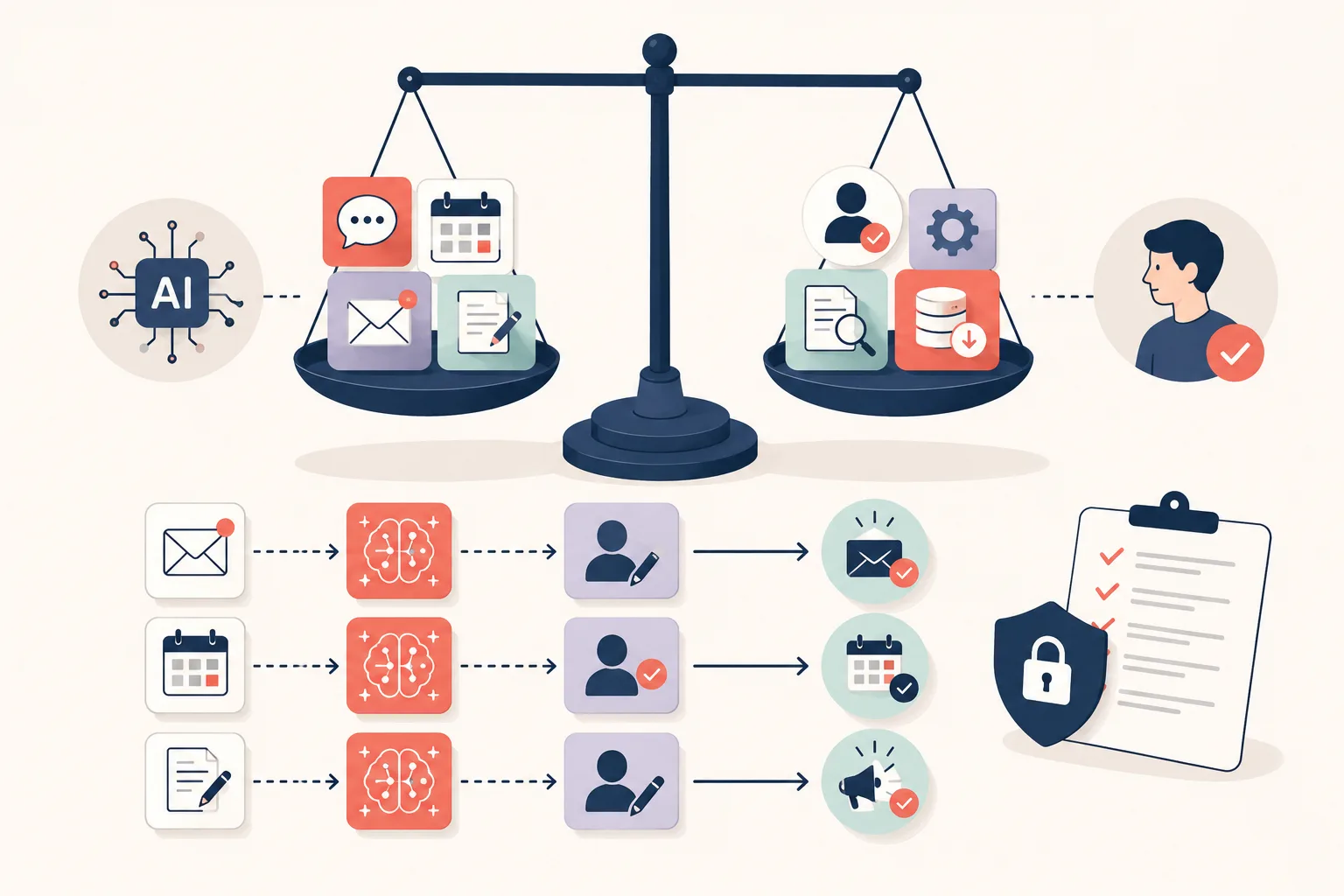
There's also the matter of quality control. AI-drafted content still needs a human pass, particularly for anything customer-facing. A reply to a frustrated client, a proposal for a major contract, or a post on a sensitive topic: these are not places to let automation run unsupervised. The businesses that get burned by AI are usually the ones who stopped reviewing outputs after the first few weeks when things seemed fine.
The final tradeoff worth naming is dependency. Once your scheduling, email, and content workflows are built around specific tools, switching becomes painful. Choose platforms with good data export options, read the cancellation terms before subscribing, and avoid building critical workflows on tools from early-stage startups with no clear revenue model. Stability matters when your daily operations depend on it.
Where to Start: A Practical First Week
If you've read this far and want to take action without overwhelming yourself, here's a focused starting point. Pick one task from this list that costs you the most time each week:
Email: Enable AI Smart Reply or Smart Compose in Gmail, or try Superhuman's free trial for 30 days
Scheduling: Set up a Calendly link for any repeating appointment type and stop doing the back-and-forth manually
Content drafts: Use Claude or ChatGPT to generate a first draft for your next blog post or product description, then edit it into your voice
Customer FAQ: Add a simple chatbot to your website using Tidio or Intercom's basic tier, trained on your 10 most common questions
Invoicing: Connect Wave or FreshBooks to your bank and let reconciliation run automatically each week
Start with one. Learn it properly. Measure the time saved after 30 days. Then add the next. Businesses that try to automate five things at once usually automate none of them well.
What This Means for Indian Small Businesses
If that Tuesday morning sounds familiar, imagine running it in a kirana store in Nagpur or a boutique tailoring unit in Surat. You're managing walk-in customers, replying to WhatsApp Business inquiries, preparing for a GST filing deadline, and somehow also trying to plan your Diwali stock orders. India has over 63 million MSMEs, and the vast majority are run by one or two people who wear every hat in the business.
The time drain is the same as anywhere - but the Indian context adds its own layers. GST compliance alone can eat 10 to 15 hours a month for a small business that's doing it manually. Tools like Tally or ClearTax help, but many owners in tier-2 and tier-3 cities are still reconciling purchase invoices by hand. That's hours you're not spending on growth, customer relationships, or the new product line you've been putting off since January.
The good news is that AI-powered tools are becoming genuinely affordable at Indian price points. Zoho's suite starts under Rs. 1,000 per month for small teams. WhatsApp Business automation handles repeat customer queries without you lifting a finger. And if you're selling on IndiaMART or Meesho, AI tools can help you write listings, respond to leads, and track inventory - tasks that used to eat entire afternoons. Many of these tools also attract an 18% GST, which registered businesses can claim as input tax credit, bringing the effective cost down further.
Start with one pain point: if WhatsApp is where your customers reach you, automate the first response. If GST filing is your biggest monthly headache, try a tool that connects directly to your billing software. You don't need to overhaul everything at once - one hour saved per day is five hours a week you get back.
The Bottom Line
The average small business owner who implements AI tools thoughtfully across two or three high-friction workflows typically recovers 8 to 12 hours per week within the first three months. That's not a promise or a marketing claim. It's a median drawn from documented case studies and tool performance benchmarks. Your number will depend on your current processes, how much repetitive volume you handle, and how well you select and configure the tools you choose.
What's certain is that the gap between businesses leveraging AI and those doing everything manually will widen over the next few years. The owners who start experimenting now, even imperfectly, will have a meaningful operational advantage by the time AI tools become standard practice across every industry.
If you're ready to find out what your specific time savings could look like, start with that one-week time audit. The data will tell you exactly where to begin, and that clarity is worth more than any tool recommendation. Once you know where your hours are going, you'll know exactly where to get them back.
Smarteer Team
Get a Free Technology Consultation
Talk to our experts about your project — no commitment required.
Book a Call →Build Your MVP in 4 Weeks
Proven framework. Fixed price. From zero to live product.
Learn More →Newsletter
Get the latest insights delivered to your inbox.