
SaaS Mobile App Development: A Simple Guide for First-Time Founders (2026)
A plain-English walkthrough of building a SaaS mobile app for first-time founders: what it actually is, what version one needs, how much it costs, and the mistakes to avoid, explained through one running example.
Mohan
Contents
Updated: August 2026
If you're a first-time founder thinking about building a SaaS mobile app, this guide is written for you specifically, not for developers. We'll use one running example throughout: imagine you're building "GymFlow," an app that helps gym owners manage memberships, class bookings and payments. Every concept below gets explained through that lens, so by the end you'll actually understand what you're building, not just recognize the buzzwords.
Key Takeaways
Swipe, or use the arrows on each card →
What Is a SaaS Mobile App, in Plain English?
Think about the difference between a calculator app and Netflix.
A calculator app just runs on your phone. It doesn't need the internet, doesn't know who you are, and doesn't talk to anyone else's phone.
Netflix is different. Your phone is just a window into something much bigger: a central system that knows who you are, what you've watched, what you're paying for, and serves the exact same central system to millions of other people at the same time. That central, shared system is the "SaaS" part. The phone app is just one way of reaching it (a browser or a TV app would work too).
GymFlow works the same way. The mobile app a gym owner opens is just the visible tip. Behind it sits one shared system that:
- Knows which gym owner is logged in and shows only their gym's data
- Stores every gym's members, classes and payments in one place
- Charges each gym owner a monthly subscription automatically
- Can be updated once, instantly, for every gym using it, no one has to "download an update"
That's the whole idea. Everything else in this guide is really just answering: what does it take to build that shared system properly, and what does it cost?

How Does It Actually Work? (The Simple Version)
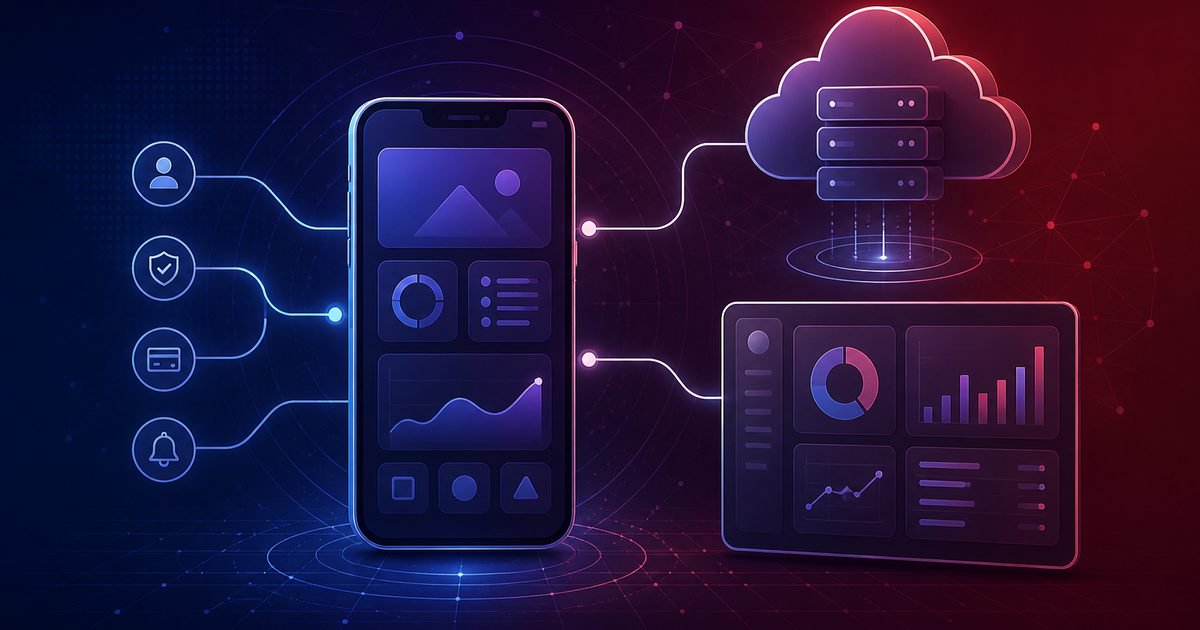
Here's the flow, using GymFlow as the example. A gym owner opens the app on their phone, taps "Add New Member." The app sends that request over the internet to GymFlow's backend, which checks: is this person logged in, do they have permission to add members, and which gym do they belong to. If everything checks out, the backend saves the new member in the database and sends back a confirmation, which the app shows on screen.
The "admin dashboard" is a second front door into the same backend, used by GymFlow's own team to see all gyms, handle support and manage billing. It's easy to forget about when you're planning the mobile app, but it's usually just as much work to build, and most first-time founders underestimate it badly.
SaaS Mobile App vs a Regular App: Why the Difference Matters to You
This distinction changes what you need to budget for, so it's worth being precise about.
| SaaS Mobile App (like GymFlow) | Regular App | |
|---|---|---|
| Where the "brain" lives | On a server, shared by every customer | Mostly on the phone itself |
| How you make money | Monthly or usage-based subscription | Often a one-time purchase, or free with ads |
| Who uses it | Many separate customers (gyms), each with their own data and team | Often just one person |
| What breaks if the server goes down | Everything, for every customer at once | Usually just that one feature, for that one user |
| What you're really building | A mobile app AND a backend AND (usually) a web dashboard | Mostly just the app |
That last row is the one that surprises most first-time founders. Budget and timeline conversations usually start from "I want to build an app," but a SaaS product is really three things being built at once.
What Actually Needs to Be in Version One?
It's tempting to list every feature you can imagine. Don't. Split what GymFlow needs into three honest buckets:
What a gym owner needs on day one
- Sign up and log in
- Add and manage members
- Manage class bookings
- See who's paid and who hasn't
- Get notified about important things (a payment failed, a class is full)
What makes it a real SaaS business, not just an app
- Every gym's data kept separate (this is called "multi-tenancy," more on that below)
- Different roles: a gym owner sees everything, a front-desk staff member sees less
- Subscription plans and automatic billing
- Usage limits if you have different pricing tiers (e.g. "up to 200 members")
- Basic analytics so you can see how gyms are actually using the app
What can wait until you have real customers
- Single sign-on for big gym chains
- Detailed audit logs
- Advanced integrations (accounting software, payroll, etc.)
- Complex custom permission structures
Most first-time founders try to build all three buckets before launch. That's the single most common reason SaaS projects take twice as long and cost twice as much as planned. Build bucket one and enough of bucket two to run a real business, then let real gym owners tell you what from bucket three actually matters.
Words You'll Hear a Lot (Explained Simply)
Multi-tenancy: imagine an apartment building. Every tenant has their own locked apartment, but they all share the same building, water pipes and electricity. That's multi-tenancy: every gym's data is kept separate and private, but they all run on the same shared system underneath. This is what makes it cheap enough to charge $50/month instead of needing to run a separate, expensive private server for every single gym.
Backend: think of a restaurant. The mobile app is the dining room, what customers see. The backend is the kitchen: it's where the actual work happens, out of sight. When a gym owner taps "add member," that request goes to the kitchen, gets handled, and a result comes back out.
API: the waiter. It's simply the messenger that carries requests from the app (dining room) to the backend (kitchen) and brings the response back.
Database: the filing cabinet where every gym's members, bookings and payments actually live, long after you close the app.
Subscription/billing logic: the part of the backend that knows which plan each gym is on, charges their card automatically every month, and locks a gym out (or nudges them) if a payment fails.
How Do You Get From Idea to a Working App? (The Journey)
Here's the realistic path, broken into five phases instead of a long checklist. Each phase has a plain-language goal.
1. Discover and plan. Before any design or code: who exactly is the customer (a solo yoga studio owner is different from a 5-location gym chain), what's the one workflow that has to work perfectly, and what will you charge. Skipping this is the single most expensive mistake, because everything downstream depends on it.
2. Design. Sketch the actual screens a gym owner will tap through, and don't forget the admin dashboard your own team will use. This is cheap to change now and expensive to change later.
3. Build. The backend, the app, login and security, and the billing integration all get built here, usually with backend and app development happening in parallel once the API is agreed on.
4. Launch. Real testing (not just "it works on my phone"), app store submission and review, and deploying the backend to real cloud infrastructure.
5. Grow. Watch how gym owners actually use it, fix what's confusing, and only then start adding bucket-three features from earlier in this guide.
What Technology Should You Use?
You don't need to become an expert here, just informed enough to have a real conversation with whoever builds it for you.
| Part of the system | Common choices | In plain terms |
|---|---|---|
| Mobile app | Flutter, React Native, or fully native | Flutter/React Native build one app for both iPhone and Android at once, which is cheaper and faster for most SaaS products. Fully native (built twice, separately) is only worth it for apps that need very deep phone-specific features. |
| Backend | Node.js, Python, Java, .NET, Go | This is the "kitchen." Any of these can work well; the right choice depends more on your team's experience than on the technology itself. |
| Database | PostgreSQL, MySQL, MongoDB | The "filing cabinet." PostgreSQL is a solid, safe default for most SaaS products like GymFlow. |
| Cloud hosting | AWS, Azure, Google Cloud | Where the backend and database actually live and run. |
| Payments | Stripe, Razorpay | Handles charging gym owners' cards every month, so you don't build billing from scratch. |
| Notifications | Firebase Cloud Messaging, APNs | How you send "your payment failed" or "class is full" alerts to phones. |
How Much Does This Actually Cost?
Instead of one number (which would be misleading either way), think about it as three honest stages of GymFlow's life:
| Stage | What it includes |
|---|---|
| A first working version | Login, the core workflow (managing members and bookings), a basic backend, and a simple admin view. Enough to sign up real gyms and start charging them. |
| A growing product | Subscriptions and billing, analytics, notifications, a proper admin dashboard, and a handful of integrations gyms actually asked for. |
| An established platform | Support for big gym chains: single sign-on, detailed permissions, audit logs, multiple integrations, and infrastructure built to handle serious scale. |
What actually moves you between these stages: how many platforms you support (iOS, Android, web), how complex the admin dashboard is, how many outside tools you connect to, how much of the experience needs to update in real time, and how much security and compliance your customers demand. If you want an honest number for GymFlow specifically, our Quick MVP team will scope it with you directly instead of guessing over email.
How Long Will It Take?
A first working version, built around one core workflow, moves noticeably faster than a full platform with billing, admin tools and integrations all at once. The biggest lever on timeline isn't how many screens the app has, it's how many separate workflows and outside systems the backend has to handle. Keep version one narrow, and you'll launch faster and learn faster.
Mistakes First-Time Founders Make (So You Don't Have To)
- Trying to build everything before launch. GymFlow doesn't need SSO or audit logs to sign up its first ten gyms. It needs the core workflow to work well.
- Forgetting the admin dashboard. Founders budget for "the app" and forget that their own team needs a way to manage customers, handle support and see what's happening.
- Treating security as a "later" problem. Once real gyms have real member data and real payment info in your system, retrofitting security is far harder and riskier than building it in from the start.
- Designing for scale you don't have yet. You don't need infrastructure built for 10,000 gyms when you have three. Build for where you'll realistically be in a year, not for a hypothetical.
- Picking technology based on hype instead of fit. The "best" stack is the one your development team can build and maintain well, not whatever is trending.
For a closer look at protecting customer data specifically, see our related guide: 8 Ways to Secure Your SaaS Application.
Do You Even Need a Mobile App Yet?
Not always, and not always right away. A mobile app usually earns its place when your customers need to act on something while they're not at a desk (a gym trainer checking someone in at the front desk), when a phone-specific feature adds real value (camera, location, push notifications), or when your competitors already have one and its absence is costing you deals. If none of that is true yet, a web dashboard alone might be a faster, cheaper way to validate GymFlow before committing to app store development too.
Where This Pattern Shows Up Beyond Gyms
GymFlow is one example, but the same shape (mobile app, shared backend, admin dashboard, subscriptions) applies across most SaaS categories: field-service tools (technicians updating job status from a van), CRM and sales tools, HR and people platforms, education and learning platforms, healthcare scheduling tools, logistics and delivery tracking, financial and expense tools, and internal workflow tools for larger companies. If you're building in one of these spaces, the architecture decisions in this guide apply directly, only the specific screens and workflows change.
How Smarteer Can Help
We work with first-time founders through exactly this path: understanding what you're actually trying to build before writing a line of code, designing the core workflow first, building the backend and app in parallel once that's agreed, and helping you launch a focused version one instead of an over-built product that took twice as long as it needed to. We typically build cross-platform with Flutter to keep costs sane for a first version, with a backend designed so features from "bucket three" can be added later without a rebuild. If you're at the idea stage and want to talk through what GymFlow (or your version of it) would actually take, our mobile app development and Quick MVP teams are a good place to start.
Frequently Asked Questions
What is a SaaS mobile app, in one sentence?
It's a mobile app that's really just a window into a shared, cloud-based system that many customers pay to use, usually through a monthly subscription.
How much does it cost to build one?
It depends on how much you're building: a focused first version costs meaningfully less than a full platform with billing, admin tools, analytics and integrations. Most first-time founders should start narrow and let real usage guide what gets built next.
How long does it take?
A focused first version, built around one core workflow, moves faster than a full platform. Timeline depends mainly on how many workflows and outside integrations the backend needs to support.
Do I need a backend, or can the app do everything on its own?
Yes, you need a backend. Anything involving accounts, subscriptions, shared data between users, or data that needs to survive beyond one phone requires a backend. This is what makes it "SaaS" instead of just an app.
Should I build for iPhone and Android separately, or together?
For most first-time SaaS founders, building both at once with a cross-platform tool like Flutter is faster and cheaper. Building separately only makes sense if you need very deep, phone-specific features.
What's "multi-tenancy" and do I need to worry about it?
It means many customers (gyms, in our example) share one system while their data stays private from each other, like separate apartments in the same building. Yes, you need to plan for it from the start. It's expensive to add after the fact.
Can I add features later, or do I need everything at launch?
You should plan to add features later. Launching with just the core workflow, then adding features based on what real customers actually ask for, is both cheaper and far more likely to succeed than trying to guess everything upfront.
Conclusion
Building a SaaS mobile app is really building three things at once: a mobile app, a shared backend, and usually an admin dashboard, all wrapped around a subscription business. Understanding that shape early, and resisting the urge to build every feature before you've validated the core workflow, is what separates founders who launch in a reasonable time from founders who are still "almost done" a year later. If you're working through this decision for your own idea, get in touch with Smarteer and we'll help you think it through properly before any code gets written.
About Smarteer
Smarteer is a full-service digital technology agency based in Chennai. We're a trusted provider of custom software, website and application development services and solutions that drive efficiency and deliver measurable cost savings and revenue gains for our client partners.
Mohan
CEO of Smarteer
Get a Free Technology Consultation
Talk to our experts about your project — no commitment required.
Book a Call →Build Your MVP in 4 Weeks
Proven framework. Fixed price. From zero to live product.
Learn More →Newsletter
Get the latest insights delivered to your inbox.